
Make it Walk
So far your sprites have been a single frozen picture sliding around. In this chapter they start to move their legs.
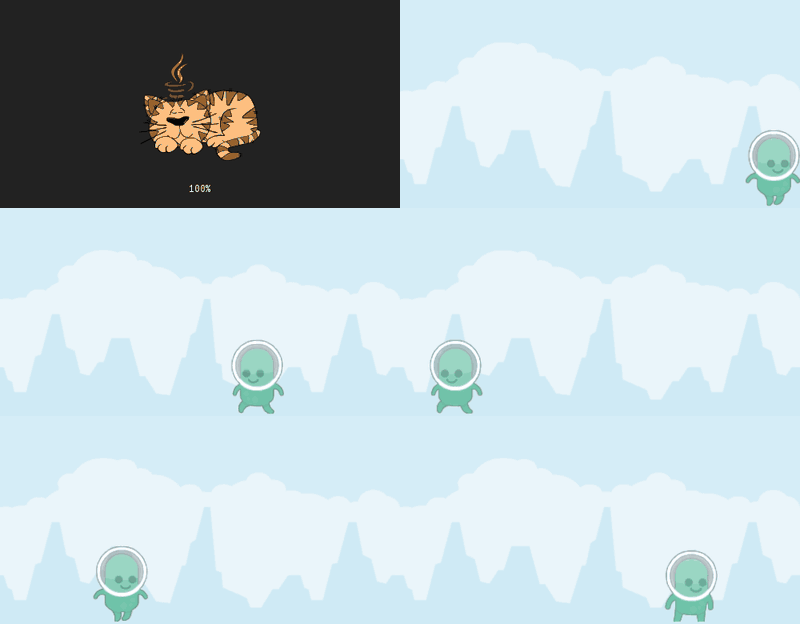
Animation sounds complicated and is not: it is two pictures swapped over and over. Once you have seen that, the rest of the chapter is about letting Scratch for Java do the swapping for you.
Nothing here needs a downloaded file.
Step 1: Two costumes
A sprite can hold as many costumes as you like. Give it two, and it starts with the first one.
import org.openpatch.scratch.*;
public class Walker extends Sprite {
public Walker() {
this.addCostume("alienGreen_walk1");
this.addCostume("alienGreen_walk2");
this.setSize(60);
}
}Put it on a stage the usual way and you will see the alien standing still — it is wearing costume one and never changes.
Step 2: Swap them by hand
nextCostume() moves to the following costume and wraps back to the first at the
end. It is the Scratch block of the same name:
next costume
If you called it in run() it would swap sixty times a second, which is far too
fast to see. So it needs a timer: every(0.2) is true once every fifth of
a second and false the rest of the time.
public void run() {
if (this.getTimer().every(0.2)) {
this.nextCostume();
}
}

The alien is walking on the spot. That is all animation is. Try changing
200 to 50 and to 600 and watch what happens.
In Scratch you would have written this with a forever loop and a wait 0.2 seconds block inside it. Java has no per-sprite wait, so a timer does the same
job: run() is called constantly and the timer decides when something happens.
Step 3: Let the library do it
Two costumes and one timer is fine. Six costumes, plus a jump, plus a standing
pose, and your run() fills up with counting.
Every sprite already knows how to do this. You give the animation a name and tell it which costumes belong to it:
this.addAnimation("walk", "alienGreen_walk%d", 2);
The %d is a placeholder for a number. This one line means "the animation called
walk is made of alienGreen_walk1 and alienGreen_walk2" — the library fills
the number in for you, which is why the built-in costumes are named the way they
are.
Step 4: Walk when you walk
Now put movement and animation together. The alien should move its legs only while it is actually going somewhere, and stand still otherwise.
import org.openpatch.scratch.*;
public class Walker extends Sprite {
public Walker() {
this.addCostume("alienGreen_stand");
this.addAnimation("walk", "alienGreen_walk%d", 2);
this.setAnimationInterval(0.15);
this.setSize(60);
this.setRotationStyle(RotationStyle.LEFT_RIGHT);
this.setY(-50);
}
public void run() {
boolean walking = false;
if (this.isKeyPressed(KeyCode.RIGHT)) {
this.setDirection(90);
this.move(3);
walking = true;
}
if (this.isKeyPressed(KeyCode.LEFT)) {
this.setDirection(-90);
this.move(3);
walking = true;
}
if (walking) {
this.playAnimation("walk");
} else {
this.switchCostume("alienGreen_stand");
}
this.ifOnEdgeBounce();
}
}And a stage to put it on:
import org.openpatch.scratch.*;
public class WalkStage extends Stage {
public WalkStage() {
this.addBackdrop("background");
this.add(new Walker());
}
public static void main(String[] args) {
Window myWindow = new Window(500, 260);
myWindow.setStage(new WalkStage());
}
}
Here it is running. Click Start, then use the arrow keys — the code is
editable, so change 3 to 8 and start it again.
Two things are new here:
-
boolean walkingremembers whether either key was held this frame, so the decision about which costume to wear is made once, after both checks. -
setAnimationInterval(0.15)is the same idea as the0.2in step 2: how many seconds each picture stays on screen.
The finished project
If something will not run, you can compare against the finished version. It needs no assets, only the library itself.
Project: Make it Walk 100%Things to try
Jump with the up arrow
Make the alien jump when you press the up arrow, and wear alienGreen_jump while
it is in the air.
Hint
A jump needs a field for the speed upwards, ySpeed. Pressing the up
arrow on the ground sets it to 10. In every frame the alien moves up by
ySpeed, and ySpeed gets a little smaller, so the alien slows down and falls
back. When it is back on the ground (y: -50), it stops.
Solution
import org.openpatch.scratch.*;
public class Walker extends Sprite {
private double ySpeed = 0;
public Walker() {
this.addCostume("alienGreen_stand");
this.addCostume("alienGreen_jump");
this.addAnimation("walk", "alienGreen_walk%d", 2);
this.setAnimationInterval(0.15);
this.setSize(60);
this.setRotationStyle(RotationStyle.LEFT_RIGHT);
this.setY(-50);
}
public void run() {
boolean walking = false;
if (this.isKeyPressed(KeyCode.RIGHT)) {
this.setDirection(90);
this.move(3);
walking = true;
}
if (this.isKeyPressed(KeyCode.LEFT)) {
this.setDirection(-90);
this.move(3);
walking = true;
}
boolean onGround = this.getY() <= -50;
if (onGround && this.isKeyPressed(KeyCode.UP)) {
this.ySpeed = 10;
}
this.changeY(this.ySpeed);
this.ySpeed = this.ySpeed - 0.5;
if (this.getY() <= -50) {
this.setY(-50);
this.ySpeed = 0;
}
if (this.getY() > -50) {
this.switchCostume("alienGreen_jump");
} else if (walking) {
this.playAnimation("walk");
} else {
this.switchCostume("alienGreen_stand");
}
this.ifOnEdgeBounce();
}
}Another character
Swap the alien for a different character.
Hint
The built-in sprites page has walk cycles for bunny1_walk%d,
alienBlue_walk%d, alienPink_walk%d and others. The pattern is always the same.
Solution
Replace alienGreen with alienPink in all three places: alienPink_stand
twice, and alienPink_walk%d in addAnimation.
Run with shift
Make the alien walk faster and animate faster while you hold shift.
Hint
Use a variable speed instead of the 3 in move. Set it to 6 while
KeyCode.SHIFT is pressed, and set the animation interval to half as long.
Solution
The start of run():
public void run() {
boolean walking = false;
int speed = 3;
this.setAnimationInterval(0.15);
if (this.isKeyPressed(KeyCode.SHIFT)) {
speed = 6;
this.setAnimationInterval(0.075);
}
if (this.isKeyPressed(KeyCode.RIGHT)) {
this.setDirection(90);
this.move(speed);
walking = true;
}
// and move(speed) for the left arrow as well
}